











Description
The QuickBooks built for businesses that outgrew Pro and Premier.
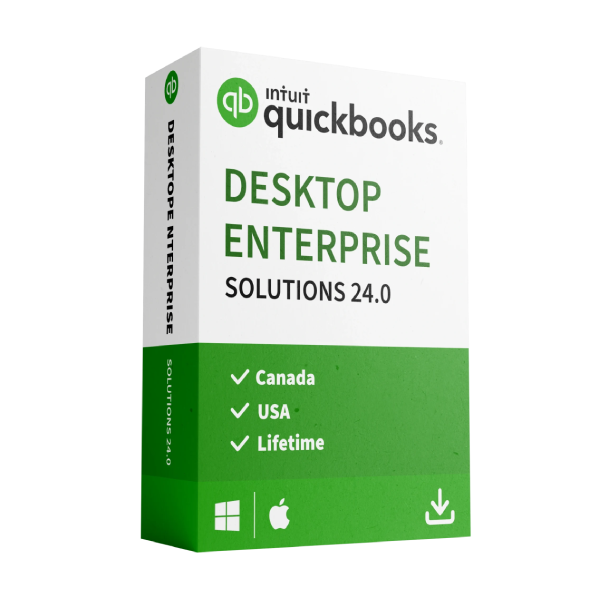
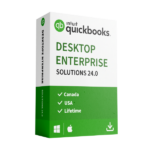
QuickBooks Desktop Enterprise Solutions 24.0 gives your whole team one set of books: inventory, job costing, sales orders, reports and user permissions in the most powerful edition of QuickBooks Desktop. It handles up to 1 million customers, vendors and items, so it keeps up as you grow.
- Lifetime licencePay once, no renewals
- USA or Canada versionPick your country at checkout
- Windows onlyWindows 10 (64-bit) and 11
What you’re buying, line by line
No surprises after checkout. Here’s what this edition does, and what it doesn’t.
Included 8 tools
- ✓
Multi-user access with permissionsSeveral people work in the same company file at once. You decide who can see and change what, so payroll-sensitive and banking data stays private.
- ✓
Up to 1 million list entriesFar more customers, vendors and items than Pro or Premier can hold. No more splitting files or deleting old records.
- ✓
Inventory, sales & purchase ordersTrack stock, build assemblies, raise purchase orders and turn sales orders into invoices.
- ✓
Job costingEstimate a job, track time and expenses against it, and see which projects actually make money.
- ✓
Customizable reportsProfit & Loss, cash flow, job and inventory reports you can tailor, plus combined reports across several company files.
- ✓
Industry editionsSwitch to tools and reports built for contractors, manufacturing & wholesale, retail, nonprofits or professional services.
- ✓
Customer prepaymentsRecord deposits on sales orders and estimates. They’re applied automatically when you invoice.
- ✓
Invoices, bills & bank reconciliationAll the everyday accounting you expect from QuickBooks, in one place.
Not included 3 items
- ✕
PayrollThis version does not include the QuickBooks Payroll system: no paychecks, payroll tax filing or direct deposit.
- ✕
Mac versionIt installs on Windows only and won’t run on macOS.
- ✕
Online accessIt’s desktop software, not QuickBooks Online. You use it on your PC or your own server, not in a browser.
Have employees? Pay them through a separate payroll service, then record the totals in QuickBooks with a journal entry. Your books stay complete.
A month with your whole team in one file
Everyone works in the same books at the same time, each with the access they need.
-
Day1
Sales takes orders
Your sales team enters orders and takes deposits while your bookkeeper pays bills in the same file. Nobody waits for anyone to log out.
-
Day10
The warehouse restocks
Low-stock items show up before they run out. Purchase orders go out, and received goods update inventory right away.
-
Day20
Projects stay on budget
Job costing compares each project’s estimate with what you’ve actually spent, so problems surface while you can still fix them.
-
Day31
Close the month with confidence
Reconcile the bank, run your reports, and combine figures from several companies into one view for the owners.
New in version 24.0
The improvements you get over older Enterprise releases.
- Stronger encryption
- Company data stored on your computer is now protected with AES-256 encryption.
- Prepayments on orders
- Deposits on sales orders and estimates are tracked as liabilities and applied when you invoice.
- Inventory categories
- Organize items in up to four category levels and use them in reports and lists.
- Lot number report
- See stock status by lot number, which helps with quality control and product recalls.
- List search
- A search bar on customer, vendor, item and other lists finds records faster.
Getting started
- Choose USA or CanadaPick the version that matches the country your company files taxes in.
- Check your emailYour license key and download instructions arrive right after payment.
- Install and activateFollow the guide. If you get stuck, reply to your order email and we’ll help.
System requirements
- System
- Windows 11 or Windows 10 (64-bit)
- Server
- Windows Server 2016, 2019 or 2022 for a shared company file
- Processor
- 2.4 GHz or faster
- Memory
- 8 GB RAM, 16 GB recommended for servers and larger teams
- Disk
- 2.5 GB, plus space for company files
- Internet
- For download, activation and updates
- Mac
- Not supported
- Payroll
- Not included
Questions before you buy
Does this version include payroll?
No. QuickBooks Desktop Enterprise Solutions 24.0 is sold here without the Payroll system, so you can’t run paychecks, file payroll taxes or send direct deposits from it. Use a separate payroll service and record the totals in QuickBooks.
Should I choose the USA or the Canada version?
Choose the country your business is registered and files taxes in. Each version uses that country’s sales tax setup and formats, and company files don’t switch between them.
Is this a subscription?
No. It’s a lifetime licence: you pay once and keep using version 24.0, with no monthly or yearly fees.
Can I upgrade from QuickBooks Pro or Premier?
Yes. Enterprise opens your existing Pro or Premier company file and updates it, so you keep your customers, vendors, items and history. Back up the file before you upgrade.
Does it work on a Mac?
No. Enterprise 24.0 is Windows software. If you work on a Mac, choose QuickBooks Desktop for Mac instead.
How fast do I get my key?
Your key and download instructions are sent by email as soon as your payment is confirmed. If activation doesn’t work, reply to your order email and we’ll walk you through it.
Give your team one set of books.
Choose your USA or Canada version and add QuickBooks Desktop Enterprise Solutions 24.0 to your cart. Your key arrives by email, and we’re here if you need help activating it.